Design ZPL Labels for Odoo — No Code Required
A visual editor for Zebra and other ZPL thermal printers. Put any Odoo field on a label, format it with a formula, check it with real records, and print it straight from Odoo.
Already have the module? Log in or create your account.
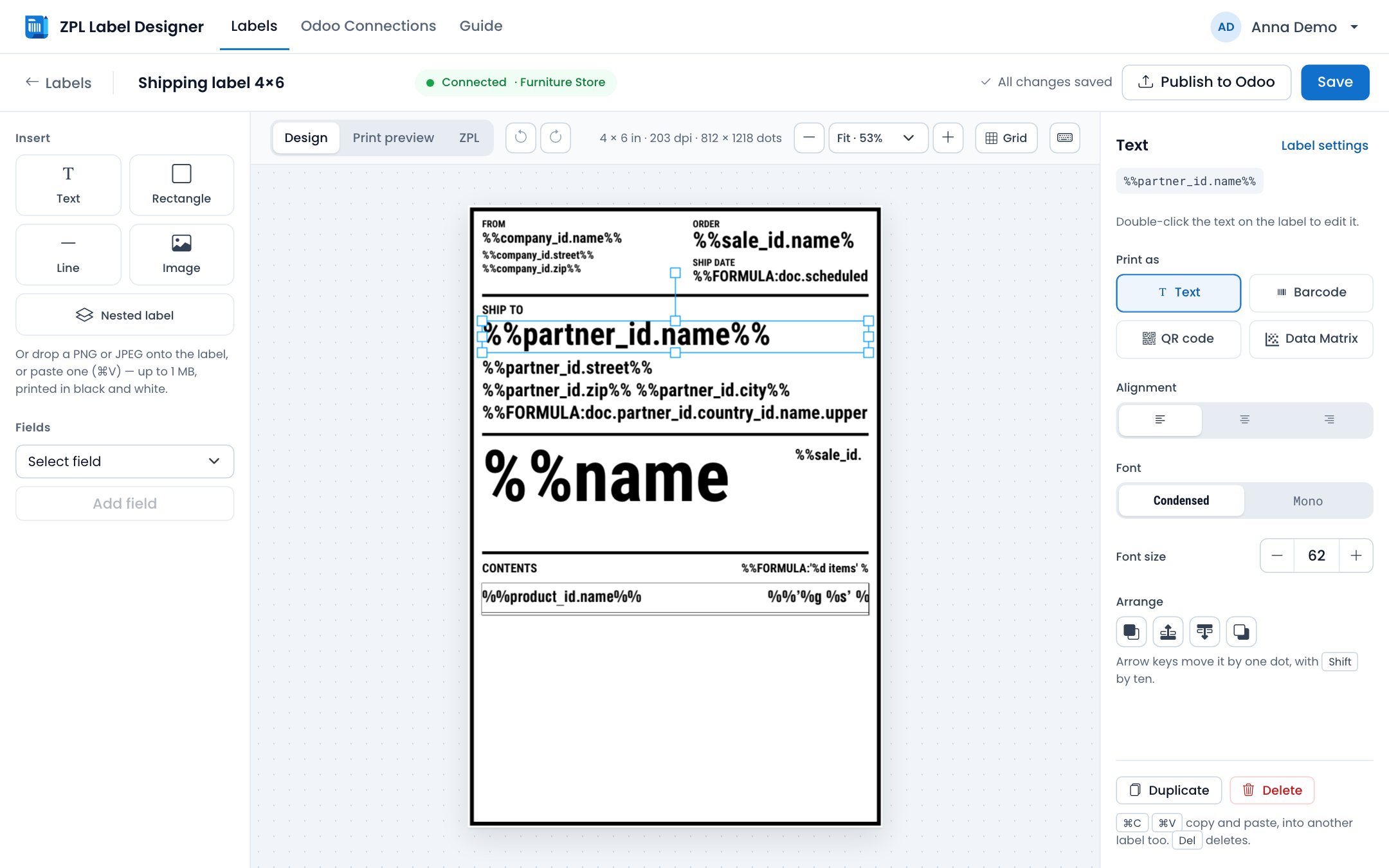
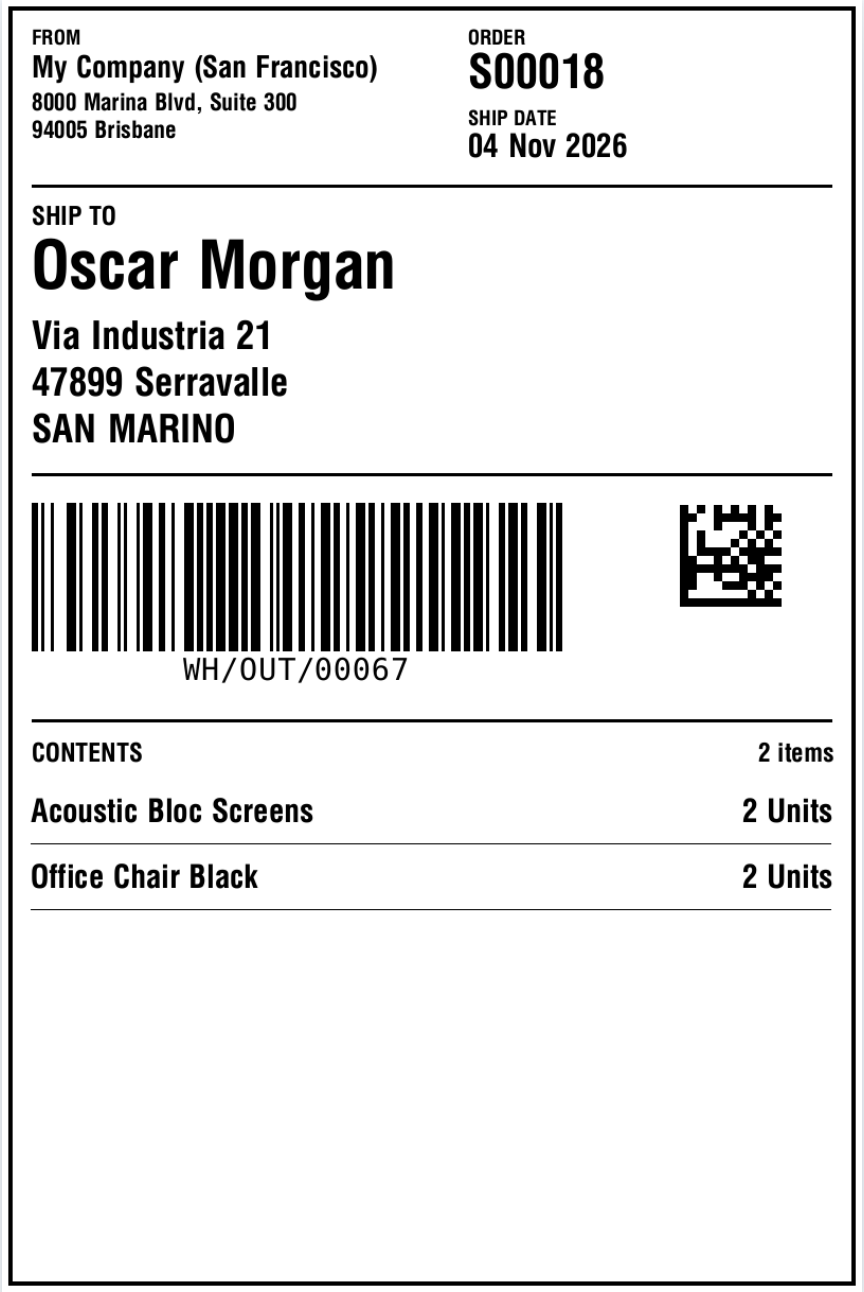
A shipping label in the editor, and the same label printed for a real transfer from Odoo.
- Odoo 13–20
- Community and Enterprise
- Any Odoo field
- Custom and Studio fields too
- Zebra printers
- And other ZPL printers
- 10,000+
- labels designed
How It Works
Install the Odoo Module
Purchase Label Designer PRO (ZPL + PDF) and install it in your Odoo instance.
Connect Your Odoo
Click Connect to Designer in the module settings, and the connection is set up for you. We store only the API key and label layouts — not your Odoo data.
Design & Print
Place fields, barcodes and formulas on the label, check it with real records, publish it, and print it from Odoo.
Everything a label needs
Real screenshots: labels for a furniture store, printed with data from its Odoo.
Odoo fields
Any field, from any model you allow
Pick a field and it goes on the label as a placeholder. Odoo fills it in for every record you print.
- Follow relations as far as you need: Product → Product Category → Name.
- Custom fields and fields made in Odoo Studio work the same way.
- Quick buttons for the fields used most on products, lots and packages.
- Labels for products, lots and serial numbers, packages, transfers, sales orders, or your own models.
Formulas
Formulas when a plain field is not enough
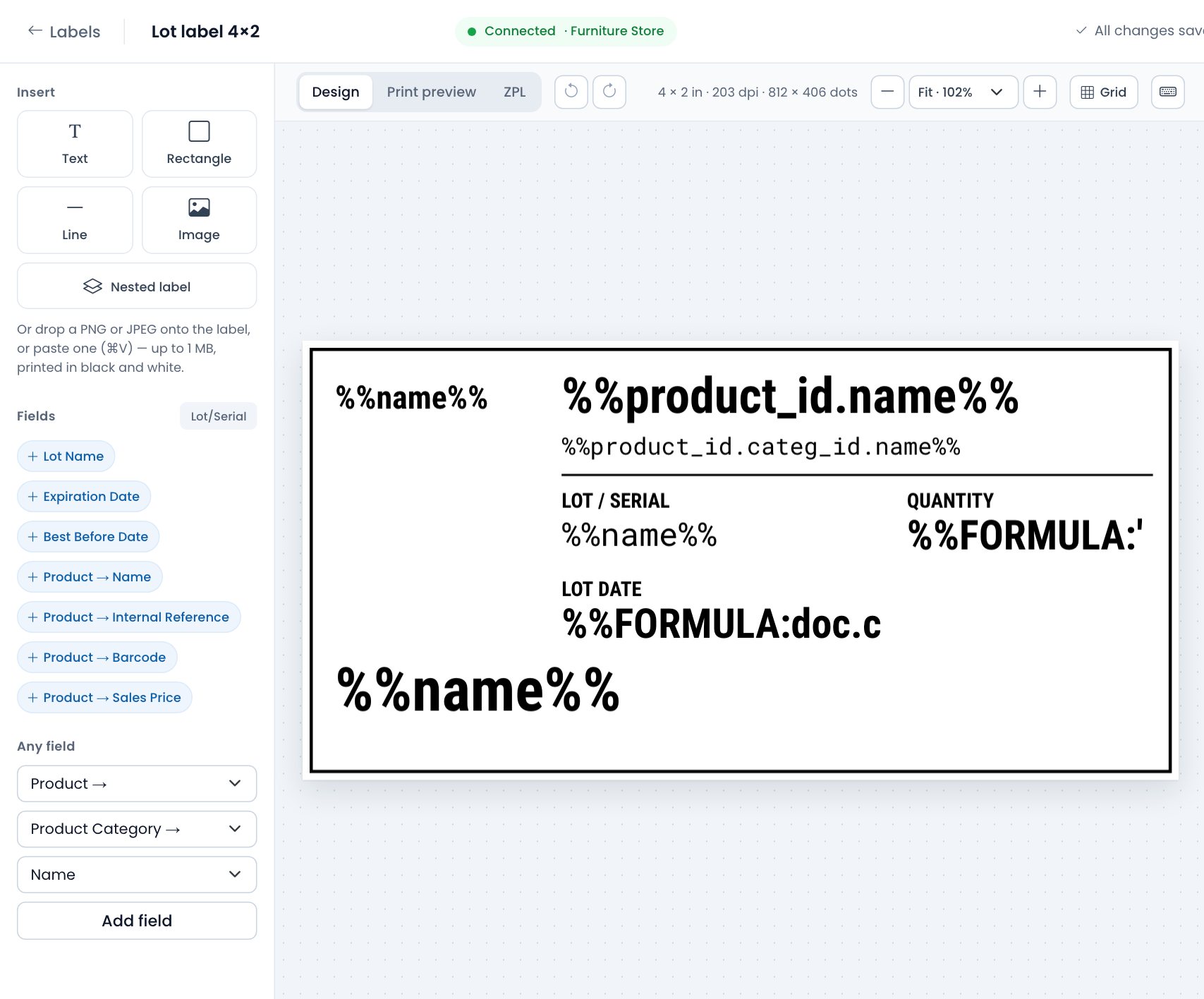
Write a Python expression between %%FORMULA: and %%, where doc is the record being printed. Format prices, dates and quantities, change the case, count lines or combine fields.
'%.2f' % doc.list_price750.00doc.create_date.strftime('%d %b %Y')04 Nov 2026doc.partner_id.country_id.name.upper()SAN MARINO'%d items' % len(doc.move_ids)2 items
Turn on Enable Formulas in the module settings in Odoo. How formulas work →
Barcodes
Barcodes, QR codes and Data Matrix
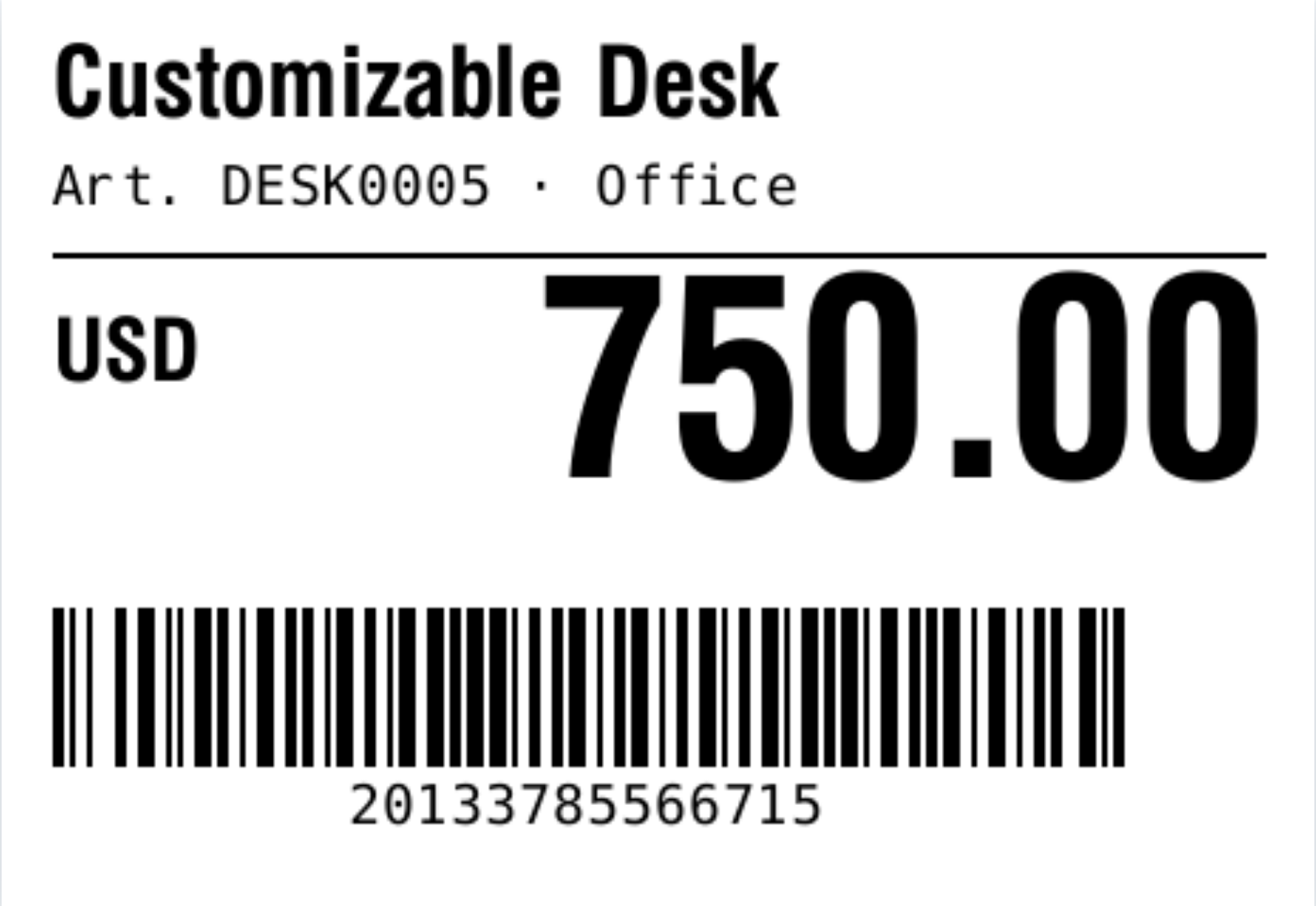
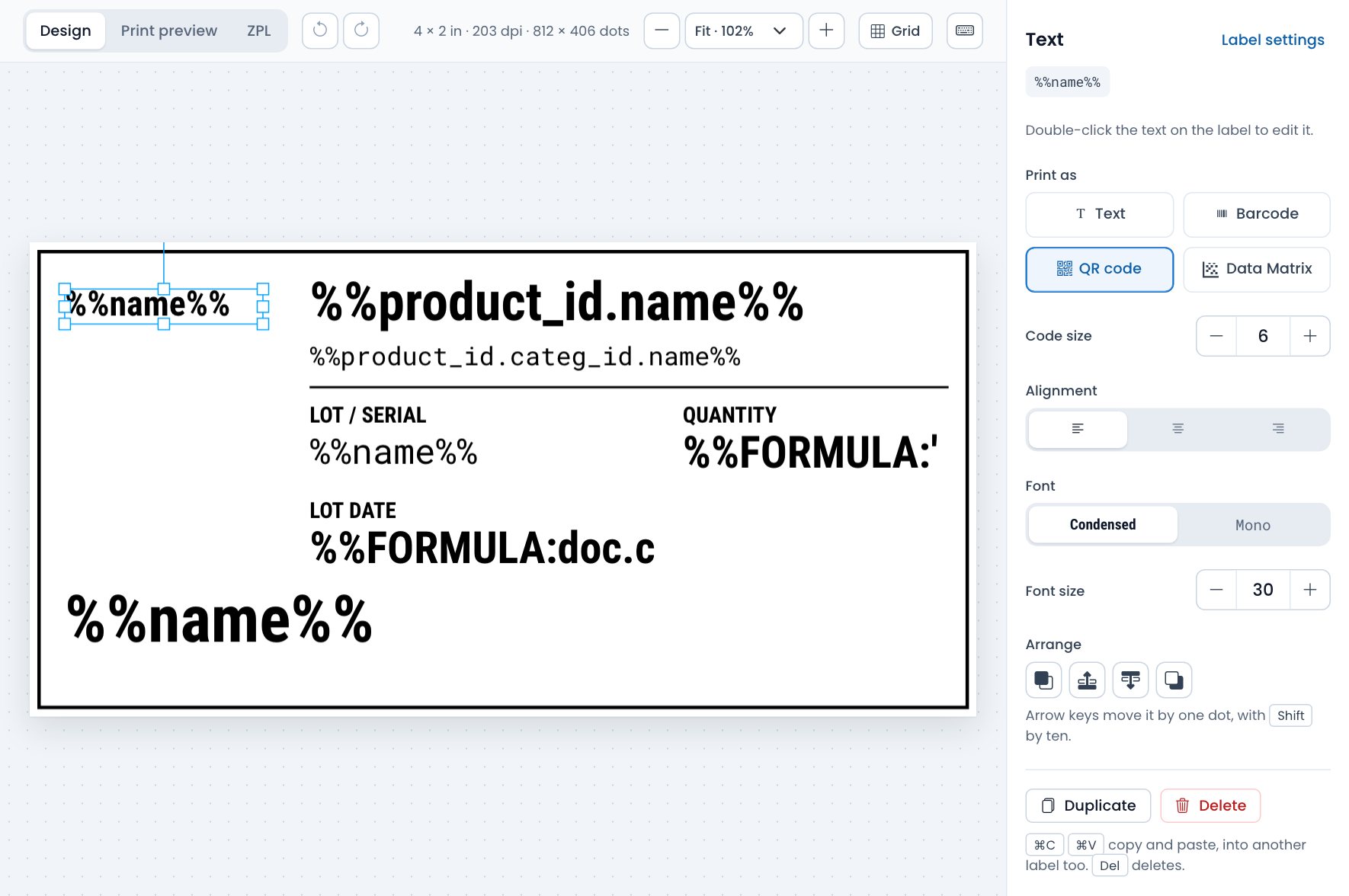
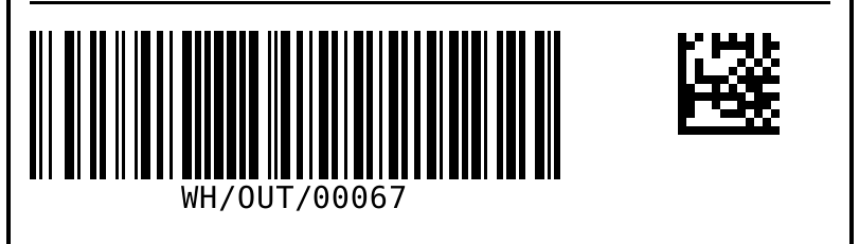
Any text on the label prints as a Code 128 barcode, a QR code or a Data Matrix code. Choose it in one click, set the size, and the scanner reads the value from Odoo.
- Lot and serial numbers, product barcodes, order references, links.
- Sized in printer dots, so codes come out sharp at 152, 203, 300 or 600 dpi.
- Codes and text side by side on the same label.
Nested labels
Order lines on one label
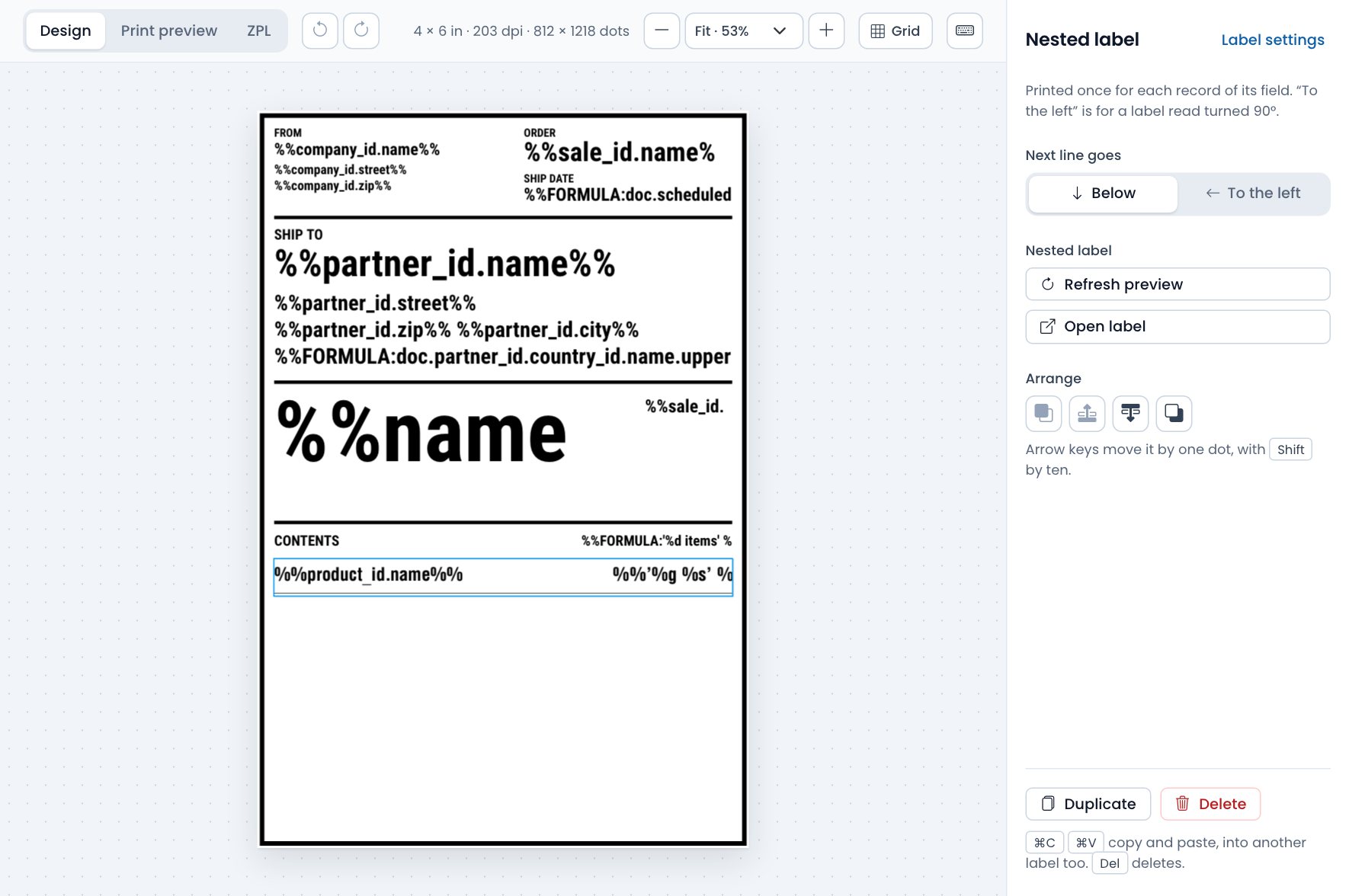
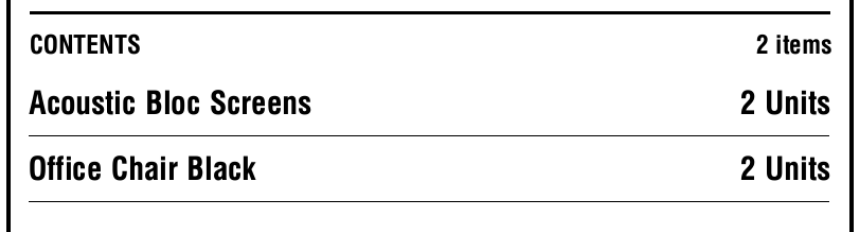
Design one line as a small label of its own and place it inside another. It repeats for every record of a one2many or many2many field: the products of a transfer, the lines of an order, the components of a kit.
- Each line has its own fields and formulas.
- One line per record, one under the other.
- Check the lines with a real record before printing.
Printing
Check it with real data, then print from Odoo
Print preview draws the label with a record from your database, so a long name or an empty field shows up on screen, not on a roll of labels. When it looks right, publish it to Odoo.
- Published labels appear in the Print menu of their records.
- Works with Odoo's Print Labels wizard for products and lots (Odoo 15 and later).
- Print automatically, without an IoT box, with Direct Print PRO.
- Need a PDF? Turn on Convert Label to PDF for the label in Odoo.
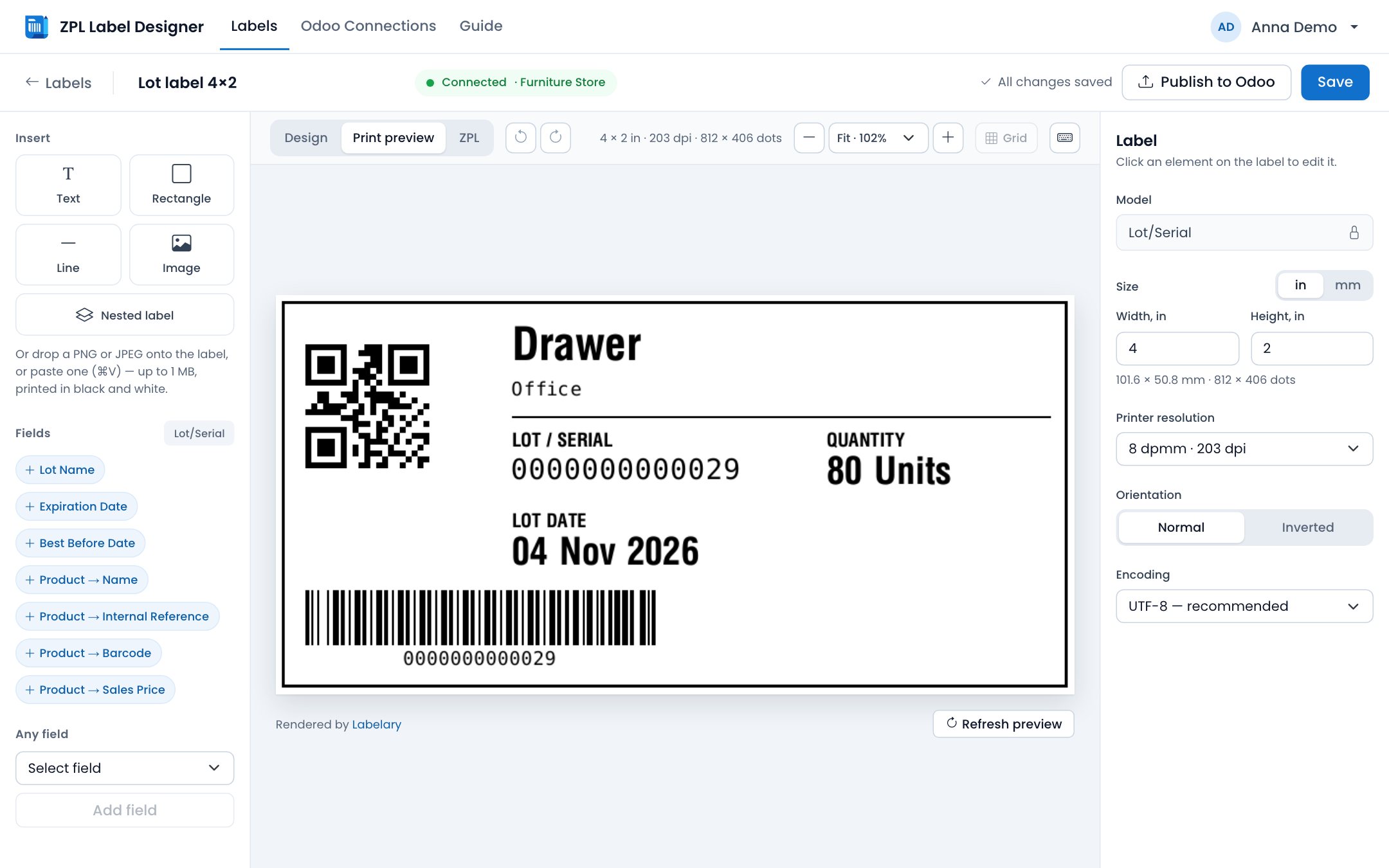
Everyday work
Made for the people who edit labels every day
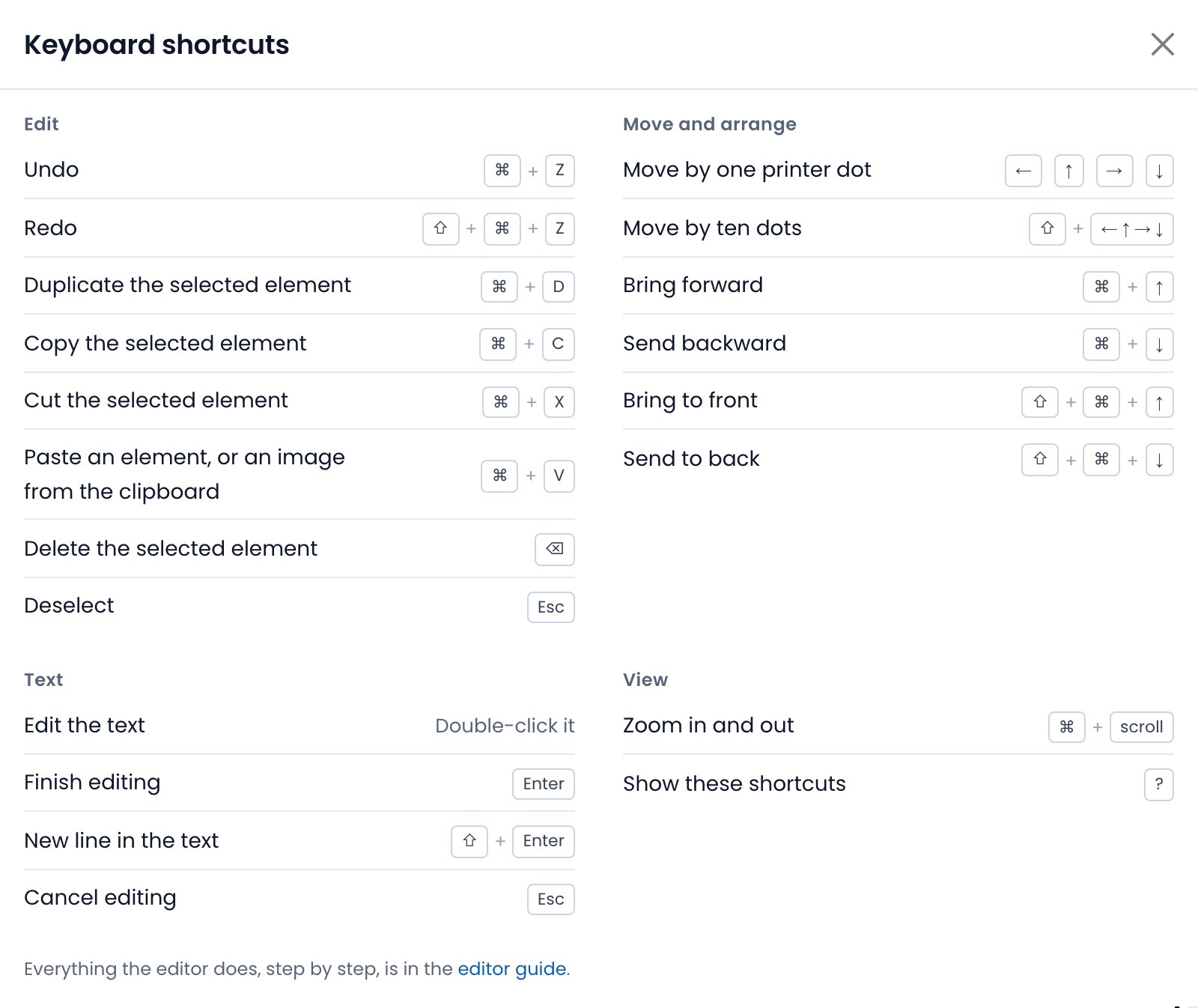
The editor works the way design tools do, with a shortcut for everything you do often.
- Undo and redo; copy, paste and duplicate elements, also from one label to another.
- Move an element one printer dot at a time with the arrow keys.
- Zoom from 25 to 400%, sizes in inches or millimetres, presets for common label stock.
- A light or a dark theme.
What customers say
From Odoo Apps, where the designer is rated 4.7 out of 5.
“This app filled a major gap in our labeling process. We can design and print ZPL labels directly from Odoo and manage everything centrally. Printing is now one click with no manual workarounds. Works very well in a manufacturing and warehouse environment.”
On Odoo Apps
“An easy module to design and print your own labels. Just perfect if you need different layouts frequently.”
On Odoo Apps
“Flawless !!! I love apps by Ventor, Direct Print, and this Labels designer has made my life soo easy. No doubt they do stuff professionally. And great support too !!”
On Odoo Apps
“The module makes the designing of the labels super easy and it's integration with Odoo provides a seamless flow.”
On Odoo Apps
“The app works perfectly and thhe support is superb, we had some questions and the support team responded on time and very friendly, they are really open to receive feedback and add new functionality based on user experience. We loved it!”
On Odoo Apps
“Great App for customizing your labels, it gives you a lot of flexibility in creating your own labels.”
On Odoo Apps
“I am looking forward to implementing this and customer service have been very helpful and responsive.”
On Odoo Apps
“Great support teams. Ratings 5-star support. ZPL Label Designer , Odoo Direct Print PRO”
On Odoo Apps
Also Included
One-click connection
Connect to Designer in the module settings links your Odoo to this site.
PDF when you need it
With Convert Label to PDF on, Odoo prints or downloads the label as a PDF.
Logos and pictures
Drop or paste a PNG or JPEG onto a label; it prints in black and white.
Any label size
Inches or millimetres, 152 to 600 dpi, presets for common thermal label stock.
All labels in one place
Grouped by Odoo connection, as cards or a table. Duplicate one to start the next.
Your data stays in Odoo
We keep label layouts and the API key, which is used only to read models and fields.
See It in Action
Getting Started with ZPL Label Designer PRO
Important Notes
- This designer is hosted at labels.ventor.tech — it is an external application included with the Label Designer PRO (ZPL + PDF) module.
- We only store label layout data and your API key — not your Odoo data. The API key is used solely to retrieve models and fields.
- Your Odoo must be accessible via API. If it's behind a VPN or firewall, additional configuration may be needed.
- Labels are designed in ZPL, for Zebra and compatible thermal printers. For a printer that needs PDF, Odoo can convert a label to PDF when it prints.
Print Your Labels Automatically with Direct Print PRO
Direct Print PRO connects your Odoo instance to any printer — including Zebra and ZPL-compatible thermal printers — without an IoT box. Combined with ZPL Label Designer PRO, you get a complete label printing workflow.
- Print ZPL labels directly from Odoo with one click or automatically on action
- 20+ built-in print scenarios (e.g., print labels after delivery validation)
- Works with USB, Wi-Fi, Ethernet, and Bluetooth printers
- Free Bridge module when you own both products
What is ZPL?
ZPL (Zebra Programming Language) is a specialized markup language for formatting labels for Zebra and compatible thermal printers. Unlike PDF, ZPL is designed for high-speed, high-precision label printing commonly used in warehouse, logistics, manufacturing, and retail operations.
Ready to Design Your First Label?
The designer comes with the Label Designer PRO (ZPL + PDF) module for Odoo. Install it, connect your Odoo from its settings, and print your first label today.
Already have the module? Log in or create your account.
VentorTech OÜ